

● We added an AI layer to the end client’s cloud-based, healthcare-specific speech-recognition app, working through one of ALLWIN’s T&M partners on this engagement.
● The hardest technical problem wasn't getting an LLM to respond well. It was constraining it tightly enough to perform only its intended tasks inside a clinical workflow.
● We connected recurring AI prompts to the physical function buttons of a dedicated dictation microphone, turning common requests into single-press, user-customizable shortcuts.
● The engagement also shows what long-running T&M work often looks like in practice: the technical scope changed, and the developer's responsibilities expanded with it - from backend work into WPF, Angular, Terraform, Azure infrastructure and AI integration.
A doctor picks up a microphone, dictates a few sentences about a patient, presses a single button on the device in their hand, and the raw dictation turns into a clean, punctuated clinical note - with a second version underneath that the patient can actually read, stripped of the Latin. No typing, no dropdown menu, no separate app to open. Just one button, mapped to one prompt, doing one job.
I spent a good part of the last few years building the system behind that button, working through a software development partner ALLWIN collaborates with under a Time & Material model. That partner has the direct relationship with the end client, which develops cloud-based, AI-assisted speech recognition for healthcare. Our role was to contribute inside that product environment: the Windows desktop app doctors dictate into, the Azure-hosted infrastructure and admin platform behind it, and later the AI layer on top of it all.
I'm a backend developer by background. This project didn't stay inside that boundary. The core dictation app is a WPF desktop application for Windows, paired with an Angular admin interface where organizations manage licenses and staff. Neither was territory I'd worked in before, so the first stretch of the project was less about writing code and more about becoming able to own the work: technical articles, documentation and a fair number of YouTube tutorials.
The bigger shift, though, was infrastructure. We built and owned the Azure infrastructure for this system ourselves, which meant learning Terraform to the point of writing production infrastructure-as-code, not just reading someone else's. Nobody handed us a ready-made environment. If it needed to exist in Azure, figuring out how it should be structured was part of the job. In a long-running T&M engagement, that kind of scope change is normal: as the product evolves, ownership moves with the problem.
The part of the project that had no shortcut was AI integration, and we picked it up early - early enough that almost nobody on the team had done anything like it before. The model itself wasn't ours to build; we were integrating an Azure-hosted large language model into the app. The hard part was never getting a good response out of it. The hard part was making sure it only ever did the thing it was supposed to do.
General-purpose AI is easy to expose to users, but that flexibility is a poor fit for a clinical dictation workflow. A doctor dictating a patient note doesn't need a chatbot that will answer unrelated questions. The actual engineering problem was constraint: prompting and model configuration tight enough that the assistant would clean up a dictated sentence, add missing punctuation, or rewrite clinician-authored text into plainer language for the patient - and refuse to become a general-purpose assistant. The underlying lesson was simple: capability was not the main constraint. Scope was.
There wasn't a ready-made playbook for deciding where the line should sit between a useful assistant and an open-ended chatbot. We had to define that boundary ourselves and make it part of the product design.
Some of that constraint lived outside the desktop app entirely, in the Angular admin portal. That's where the AI itself got configured: a global prompt that kept it locked to its intended purpose instead of drifting into general-purpose use, control over which language it was allowed to respond in, and limits on token usage, among other settings - all configured globally in the admin portal, without touching a line of code in the desktop app.
That last function - rewriting clinician-authored medical text into language a patient can more easily understand - turned out to matter more than we expected. It's a small piece of text generation with an outsized effect on how clearly information can be communicated to the patient, while the clinical content still originates from the doctor.
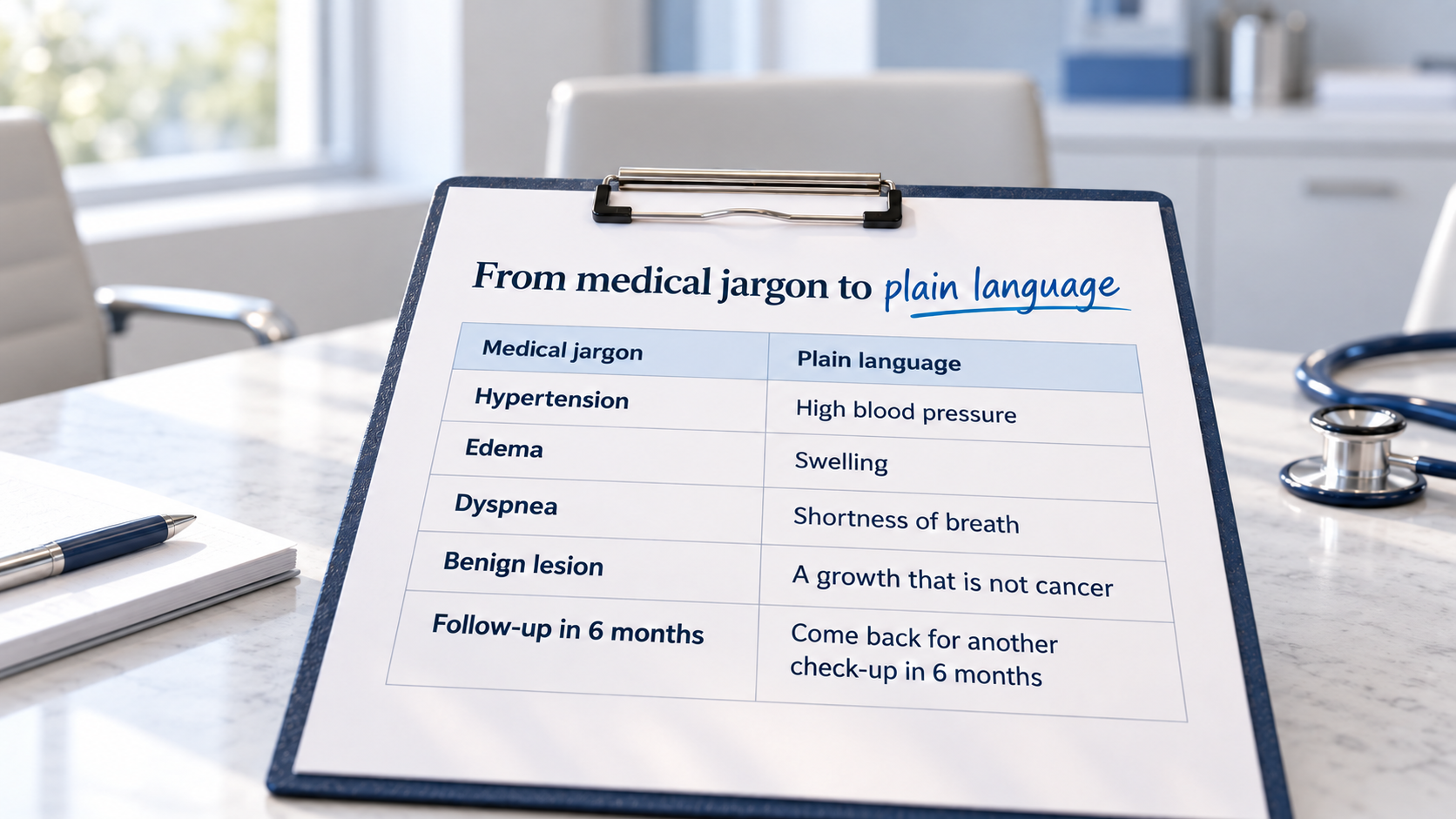
Alongside the software, doctors dictate using a dedicated dictation microphone, built specifically for medical dictation, with physical function buttons for navigating and editing spoken text. Part of our work was wiring those buttons into the AI layer directly.
If a doctor kept asking the assistant for the same thing - “clean this up,” most often - that request became a saved prompt, bound to a single physical button. Press it, and the AI runs that exact instruction against whatever was just dictated, with no menu, no typing, no interruption to the doctor's workflow. And because no two doctors dictate exactly the same way, the buttons are user-customizable: anyone can define their own prompt and bind it to a button of their choosing.
None of that was built with the hardware actually in hand at first. I didn't yet have the dictation microphone itself, so early testing relied on documentation and indirect verification rather than pressing the buttons myself. Our partner later sent me a device, and testing against the real hardware made the integration faster to validate and far more reliable.
None of this came from an internal playbook, because at the time nobody had one. We relied on Microsoft's documentation for the Azure-hosted models, developer discussions and repeated testing. In 2023 and 2024, much of the practical knowledge around LLM integration was still being formed in real time, so progress came from combining official documentation with careful experimentation rather than following a single established recipe.
On paper, this setup looks like it should be distant: ALLWIN in Hungary, a development partner, and an end client based elsewhere in Europe. In practice, it wasn’t. Over the course of the project, ALLWIN colleagues traveled to the end client’s office three separate times to work alongside their team in person, and at least once the direction reversed — the client’s team came to our partner’s office instead. Team dynamics on a T&M engagement don’t have to be a function of geography; they’re a function of how much both sides actually make the effort to be in the same room.
The measure of whether any of this was worth building isn't the architecture - it's what happens once a doctor is actually holding the microphone. Dictation can be cleaned up and structured automatically instead of by hand. Clinician-authored medical text can be rewritten into a more accessible version for patients. And a clinical assistant who would otherwise spend time transcribing parts of the conversation can focus on other work around the patient visit.
The interesting engineering problem here was never simply whether AI could process a doctor's dictation. The real problem was making an assistant with a deliberately small job: one button, one prompt, one well-defined task, repeated consistently inside an existing workflow. That's a narrower target than 'add AI to the product,' but in a clinical setting it is often the more useful engineering goal.
In a clinical dictation tool, broad capability is not automatically an advantage. Constraining prompting and model configuration to a small set of app-specific tasks - correcting text, punctuating it and rewriting it in plain language - makes the assistant more predictable and easier to govern inside the workflow, even though it gives up some of the flexibility of a general-purpose chatbot.
Doctors are already holding the microphone, and interrupting dictation to open a menu breaks their workflow. Binding a saved prompt to a single hardware button means a recurring AI request becomes a single press, with the interaction happening in the same physical gesture doctors already use to dictate.
The model itself worked well from early on. The difficulty was scope: making sure the assistant only ever performed the specific, app-defined task it was invoked for, rather than behaving like an open-ended assistant that happens to sit inside a medical app.
No. The AI-generated plain-language text is a rewritten, more accessible version of what the doctor has already dictated and approved as part of the record. It is a communication aid, not an independent medical judgment.
This project is a good example of how ALLWIN's longer-term T&M engagements can develop in practice. A developer joins an existing partner and product environment, works as part of that team, and takes on new frameworks, infrastructure or adjacent technical responsibilities as the product needs change. The value is not limited to a fixed list of technologies defined at the start of the engagement.
Róbert is one of the ALLWIN developers working on long-term Time & Material engagements with our partners. If you need experienced developers who can join an existing product team, work across organizational boundaries and take ownership as the technical scope evolves, talk to us about ALLWIN's Time & Material development model.


